From Gamer to Creator: Your Complete Guide to Video Game Sublimation Mug Wraps
If you have ever wanted to turn a plain ceramic mug into a personalized masterpiece—especially one that celebrates gaming culture—you have likely encountered the term sublimation mug wrap. Whether you are a seasoned craft business owner, a hobbyist looking for a new creative outlet, or someone searching for the perfect gift for the gamer in your life, understanding how these digital designs work is the key to unlocking endless possibilities. This guide covers everything you need to know about video game sublimation mug wraps, including how to use them, why they are so popular, and how a simple PNG file can become a professional-quality finished product.
What Is a Sublimation Mug Wrap?
A sublimation mug wrap is a digital image file designed to be printed onto special sublimation paper and then transferred onto a mug using heat and pressure. The process, known as dye-sublimation, uses heat to turn solid dye into a gas that bonds permanently with a polymer-coated surface. Unlike a sticker or a decal that sits on top of the mug, a sublimated design becomes part of the coating itself. This means the image will not peel, crack, or wash off—even after hundreds of trips through the dishwasher.
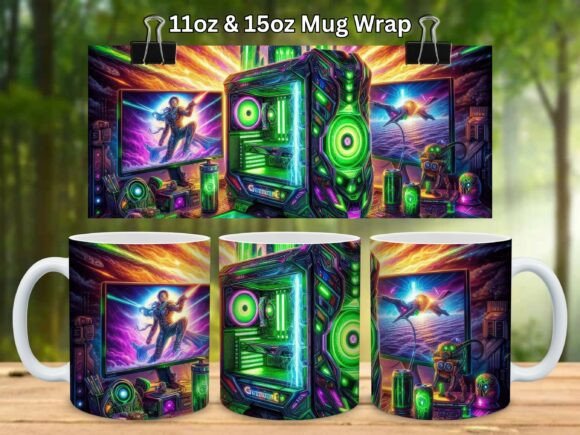
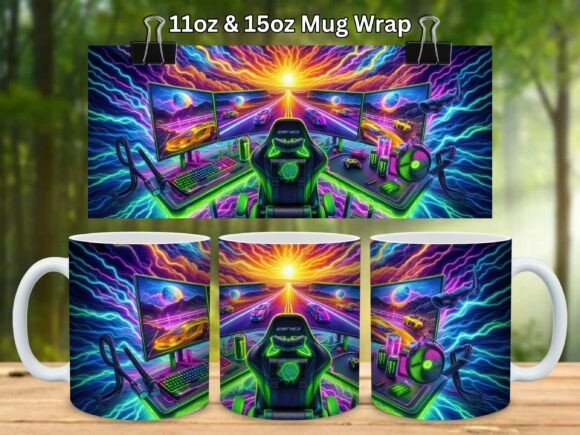
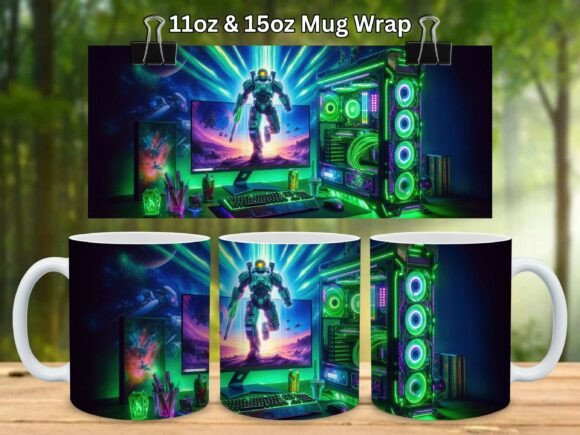
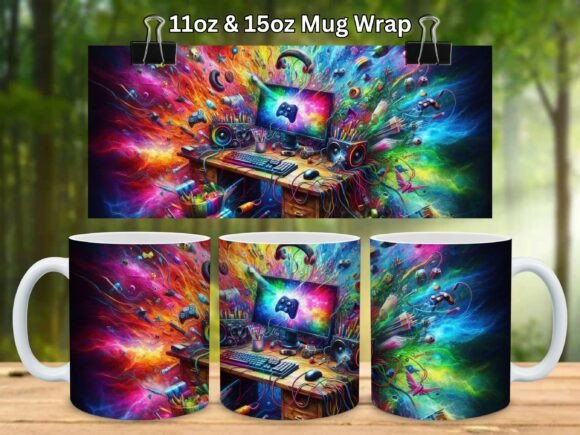
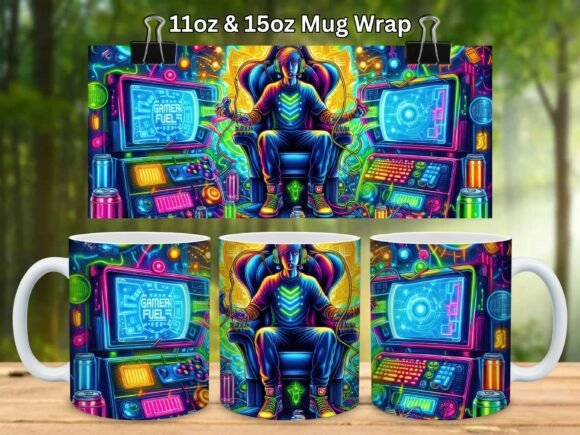
The design files you download, such as the Gaming Gamer Gift Video Game Mug Wrap V4, come as PNG files sized specifically for standard mug blanks. You will typically receive two versions in a single ZIP folder: one wrap sized at 8.5 × 3.5 inches for an 11 oz mug and another at 9 × 4 inches for a 15 oz mug. Both are created at 300 dpi resolution to ensure crisp, sharp printing. Because these are digital downloads, no physical product ships—you print and press the design yourself.
Why Video Game–Themed Mug Wraps Are Taking Off
Gaming is no longer a niche hobby; it is a global culture that spans generations. From retro pixel art to modern esports logos, video game imagery resonates with millions of people. Mugs are one of the most practical and personal gift items you can make, and combining them with gaming themes creates something that feels both nostalgic and functional. A gamer might use their custom mug during a late-night raid, as a desk accessory while streaming, or as a conversation starter at the office.
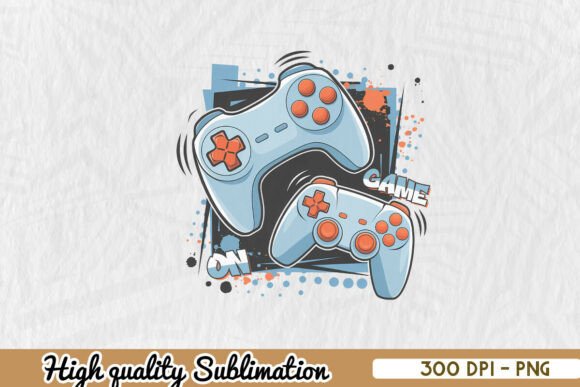
The Gaming Gamer Gift Video Game Mug Wrap V4 taps directly into this cultural moment. It is designed to appeal to gamers of all ages, using bold colors, controller motifs, and energetic layouts that work beautifully on both white and light-colored mugs. Because it is a digital file, you can use it over and over again, making it ideal for small businesses that sell at conventions, on Etsy, or through social media shops.
Understanding the Digital Download: What You Actually Get
When you purchase a sublimation mug wrap design like this one, you are buying a license to use the artwork for creating physical products. Here is exactly what arrives in your download:
- One ZIP file containing two separate PNG files
- 11 oz mug wrap: 8.5 × 3.5 inches at 300 dpi
- 15 oz mug wrap: 9 × 4 inches at 300 dpi
Because the files are compressed into a ZIP folder, you need to extract them before you can use them. On most computers, you can double-click the ZIP file and choose "Extract All," or use a free tool like WinZip or WinRAR. Once extracted, the PNG files are ready to open in any image editing or printing software that supports sublimation workflows.
A common misunderstanding is that you can print these designs onto a regular inkjet printer onto regular paper and then iron them onto a mug. That will not work. Sublimation requires sublimation ink, sublimation paper, and heat (around 380–400°F) applied with a mug press or convection oven. The ink turns into a gas that embeds into the mug's polymer coating. Without these elements, the design will not transfer properly or last.
How to Use a Mug Wrap: A Step-by-Step Overview
If you are new to sublimation, the process might sound technical, but it is surprisingly straightforward once you understand the workflow. Let us walk through the basic steps using a digital mug wrap as your starting point.
Step 1: Print the Design
Open the PNG file in sublimation design software (such as Adobe Photoshop, CorelDRAW, or even a free tool like GIMP). Ensure the image is sized correctly for your mug. You should print the design in mirror (flipped horizontally) because the image will reverse during transfer. Most sublimation printers and software allow you to enable mirroring with a single checkbox. Print onto sublimation paper using a printer loaded with sublimation ink.
Step 2: Prepare the Mug
Use a white or light-colored mug with a polymer coating. Standard ceramic mugs from craft stores often work, but mugs labeled specifically as "sublimation blanks" give the best results. Clean the surface with rubbing alcohol to remove any oils or dust.
Step 3: Tape and Wrap
Cut out your printed design, leaving a small border. Tape it onto the mug so that the printed side faces the mug surface. Use heat-resistant tape and make sure the paper lies flat without wrinkles. Some crafters also use a silicone wrap or a heat-resistant band to hold the paper firmly in place.
Step 4: Press with Heat
Place the mug in a mug press or a convection oven set to approximately 380–400°F. Pressing time varies by equipment but typically ranges from 180 to 240 seconds. The heat causes the sublimation ink to vaporize and bond with the mug's coating.
Step 5: Cool and Reveal
Once the pressing cycle finishes, carefully remove the mug using heat-resistant gloves. Let it cool for a minute, then peel away the paper. The design should be vibrant, permanent, and fully integrated into the mug surface. If you see faded or ghosted areas, you may need to adjust time, temperature, or pressure.
Commercial Use: What You Can and Cannot Do
One of the most appealing aspects of the Gaming Gamer Gift Video Game Mug Wrap V4 is that it comes with a commercial use license. This means you can sell the physical mugs you create using this design at craft fairs, online marketplaces, or local shops. It is an excellent way to monetize your sublimation setup without needing to hire a graphic designer for every new product.
However, the license does have limitations. You may not resell or distribute the digital file itself. You cannot share the PNG files with other people, upload them to a print-on-demand service as a template, or sell them as a digital product. The artwork is licensed to you, the purchaser, for creating physical goods only. Respecting these terms protects the artist who created the design and ensures the marketplace remains fair for everyone.
Why 300 dpi Matters for Mug Wraps
Resolution is one of the most misunderstood aspects of digital design files. The wraps you download are created at 300 dpi, which stands for dots per inch. In practical terms, this means the image contains enough detail to print sharply at full size. If you were to use a lower resolution (like 72 dpi, which is common for web images), the same design would appear blurry, pixelated, or "jaggy" when printed at mug size. The 300 dpi standard ensures that fine lines, text, and colorful gradients stay smooth and professional.
Making the Perfect Gift for the Gamer in Your Life
If you are purchasing this wrap as a gift-making project, you are in good company. Personalized mugs are among the most popular handmade gifts because they combine utility with sentiment. A gamer will appreciate not only the design itself but also the effort you put into creating something unique. You can pair the mug with a gift card for their favorite gaming platform, a bag of specialty coffee, or a new controller. For birthdays, holidays, or just-because surprises, a sublimated gaming mug is a hit.
Consider making a mug gift set: press a matching design onto a 15 oz mug for coffee and an 11 oz mug for tea or hot cocoa. Because the design files are sized for both standard mug formats, you can create a coordinated pair without any extra design work.
Troubleshooting Common Sublimation Mistakes
Even experienced crafters sometimes run into issues. Here are a few frequent pitfalls and how to avoid them:
- Ghosting or blurring: Usually caused by the paper shifting during pressing. Use high-quality heat-resistant tape and a mug wrap accessory that holds the paper tight.
- Faded colors: This can mean your temperature is too low, your pressing time is too short, or you are using a mug without a proper polymer coating.
- White spots or bubbles: Often due to air trapped between the paper and the mug. Burnish the paper down firmly before taping.
- Colors bleeding into each other: Your print settings might be too saturated, or the paper is absorbing moisture. Store sublimation paper in a dry place.
Keep a notebook of your time, temperature, and pressure settings for each mug type you use. Over time, you will develop a reliable recipe for consistent results.
Beyond the Mug: Other Uses for Your Wrap Designs
While these files are sized and marketed as mug wraps, creative sublimation crafters know that a good design can sometimes be repurposed. The dimensions of the 11 oz wrap (8.5 × 3.5 inches) are similar to those of small ceramic tiles, coasters, or even some phone cases. Always test a scrap piece first, but do not be afraid to experiment. The more you explore, the more value you get from each digital download.
Where This Fits into Modern Crafting and Small Business
Sublimation has exploded in popularity over the last few years thanks to the affordability of printers, mug presses, and blank substrates. For someone running a home-based business, a single digital design like the Gaming Gamer Gift Video Game Mug Wrap V4 can be the foundation of an entire product line. You can offer the same design on mugs, tumblers, coasters, and even mouse pads. Because the design is already optimized for sublimation, you skip the time-consuming step of creating artwork from scratch.
For hobbyists, the appeal is equally strong. Being able to produce a professional-looking mug in under ten minutes—using a design that looks like it came from a major retailer—is deeply satisfying. And because the file is a digital download, there is no waiting for shipping; you can start creating as soon as you extract the ZIP folder.
Final Thoughts: Why This Design Stands Out
The Gaming Gamer Gift Video Game Mug Wrap V4 is more than just a pretty image—it is a tool for creativity, gifting, and commerce. Whether you are making a one-of-a-kind present for a friend who lives for late-night gaming sessions or building an inventory of products to sell online, this wrap gives you a head start. The dual sizing (11 oz and 15 oz), high 300 dpi resolution, and commercial use license make it a practical choice for anyone serious about sublimation.
Remember to extract the ZIP file before printing, always mirror your image, and press at the right temperature for the right amount of time. With a little practice, you will be producing mugs that look store-bought but feel handmade—and that combination is exactly what makes sublimation such a rewarding craft.
So go ahead, fire up your mug press, and turn that digital PNG into something real. Your next custom creation—and the smile on the gamer who receives it—is just a heat press away.