Snack-Themed Gaming SVGs for Creative Projects
Gaming and snacks share a deeply rooted connection that goes beyond simple cravings. Whether it is a pixelated power-up mushroom, a slice of steaming pizza, or a frosty energy drink, these symbols form a shared language among players. The Gaming Snacks SVG collection captures this cultural energy in a set of clean, scalable vector files designed to fit seamlessly into your creative workflow. This is more than just clip art; it is a toolkit for storytelling, branding, and hands-on crafting.
What makes this collection immediately practical is the thoughtful range of file types included. You receive SVG, JPG, PNG, EPS, and DXF formats with your purchase. This variety eliminates the common frustration of format conversion and lets you jump straight into the creative phase. Whether your toolkit centers around Adobe Illustrator, Photoshop, Inkscape, or you rely on cutting machines like Cricut Design Space and Silhouette Studio, these files are optimized for your specific tools. You can move from concept to production without technical roadblocks.
Practical Project Ideas for Designers and Entrepreneurs
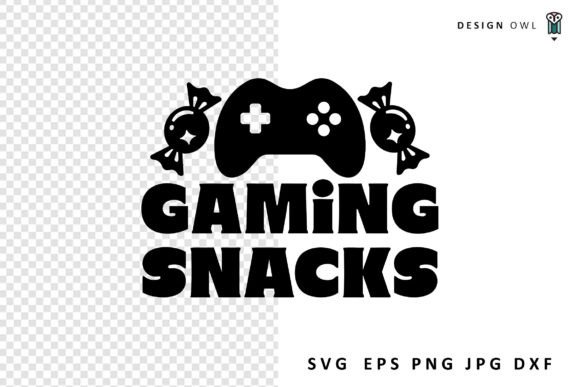
For those running a small business or freelancing in the design space, versatility directly impacts your bottom line. The Gaming Snacks SVG 1 individual design provides a solid foundation that can be adapted across multiple product lines. Consider the classic gaming motif: a retro controller paired with a favorite snack. This kind of niche design resonates deeply with a specific audience and sells well on print-on-demand platforms.
- Custom Apparel and Merchandise: Use the SVG or EPS files to create crisp, scalable designs for t-shirts, hoodies, and tote bags. The clean vector paths ensure professional results whether you are heat pressing a single item or sending files to a production partner. A design combining a vintage joystick with a soda bottle works perfectly for limited-edition merchandise at local gaming events.
- Digital Content and Branding: Streamers and bloggers need visual consistency. Use the snack-themed elements to design custom Twitch overlays, YouTube emotes, or cohesive social media templates. The transparent PNG files are perfect for quick mockups, while the SVGs allow deep customization in vector software, such as adjusting colors to match your exact brand palette.
- Party Planning and Event Decor: Hosting a game night or a launch party? The DXF and SVG formats integrate directly with cutting machines. Produce custom banners, cupcake toppers, water bottle labels, and thank-you cards. The high-quality designs ensure a polished finish that impresses guests without requiring hours of manual drawing.
Adapting the Collection for Different Audiences
A single SVG set can serve vastly different purposes depending on your audience. Understanding this helps you extract more value from the asset. For educators and hobbyists, the designs can be used to create engaging classroom materials, reward charts, or scrapbook layouts. The familiar imagery helps capture attention and makes learning activities feel more relevant to students who love gaming.
For marketers and small business owners in the food or entertainment industry, these graphics can enhance your brand voice. Imagine a local arcade or a gaming cafe using these designs on their menu boards or promotional flyers. The snack imagery immediately communicates the fun, casual atmosphere of the venue. It helps your marketing materials feel curated rather than generic. By choosing specific snack icons, you can also target different demographics. A classic soda appeals to retro gaming fans, while an energy drink design connects with the competitive esports crowd.
Formatting for Success Across Platforms
Not every platform handles images the same way. Matching the right file format to your output method is a simple skill that dramatically improves your final product. Here is a quick breakdown of how to use each format effectively:
- SVG (Scalable Vector Graphics): Best for web design, app interfaces, and cutting machines. It scales infinitely without losing quality. Ideal for Cricut Design Space and Silhouette Studio.
- EPS (Encapsulated PostScript): The industry standard for professional print shops and Adobe Suite workflows. It preserves complex layers and is perfect for high-end commercial printing.
- PNG (Portable Network Graphics): A raster format with a transparent background. Excellent for social media graphics, quick mockups, and use in software that does not natively support vectors.
- JPG (Joint Photographic Experts Group): A widely compatible format suitable for previews, online portfolios, and non-transparent backgrounds.
- DXF (Drawing Exchange Format): Specifically useful for CAD-like cutting software and some older cutting machine models. It provides precise path data for clean cuts on vinyl and cardstock.
Keeping Your Projects Organized and Professional
Working with digital assets requires a system. When you open the Gaming Snacks SVG files in your preferred software, take a few minutes to explore the layer structure. Well-organized layers allow you to easily change colors, resize individual elements, or combine several snacks into a custom pattern. This transforms a single design into an entire branding system. If you are creating a series of stickers or a themed social media campaign, consistency matters. Stick to a unified color palette and apply the same stroke weights across your variations.
One of the strongest advantages of using vectors is infinite scalability. You can use the same SVG file to create a tiny icon for a website footer and a large wall decal for a gaming room. Always preview your cut lines in your machine’s software before running the material. This simple step saves vinyl, cardstock, and frustration. If you are printing the PNG or JPG versions for a physical project, ensure your canvas resolution is set to at least 300 DPI to avoid pixelation.
Adding a Personal Touch
While the provided designs are ready to use straight out of the box, personalization is where your unique style emerges. Experiment with combining different snack elements. Swap colors to match a specific brand or holiday theme. Add your own typography to create custom quotes or team names. This iterative process turns a great resource into something distinctly yours. The goal is to use the high-quality foundation provided by the collection and build upon it with your own creative instincts.
If you ever face a technical question about file compatibility or need advice on which format works best for a specific material, do not hesitate to reach out. Helping creators successfully complete their projects is a core part of this community. Whether you are a seasoned designer printing a large batch of merchandise or a parent crafting a custom birthday banner, guidance is always available.
Thank you for stopping by Design Owl. The best projects start with a reliable asset and a willingness to experiment. With the right tools and a clear direction, you can turn simple food icons into compelling visual stories that resonate with your audience. Explore the possibilities and enjoy the process of bringing your creative ideas to life.