Gaming Controller Mouse Pad PNG for Your Desk Setup
If you spend long hours at a computer, whether for work, content creation, or gaming, the items on your desk matter more than you might think. A mouse pad is one of those accessories that often gets overlooked, but it can quietly shape your daily experience. The Video Game Controller Mouse Pad PNG offers a way to merge form and function, giving your workspace a fresh, personalized feel without sacrificing performance. This isn’t just about looks—it’s about creating an environment that supports your workflow and reflects your interests.
Let’s walk through what this digital design actually is, why it’s useful, and how you can put it to work in real-world settings. Whether you’re a streamer, a small business owner, or someone who simply enjoys a well-organized desk, you’ll find practical value here.
What Makes This Gaming Controller Mouse Pad PNG Stand Out?
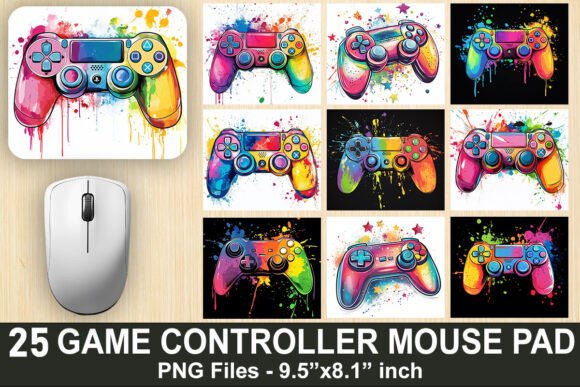
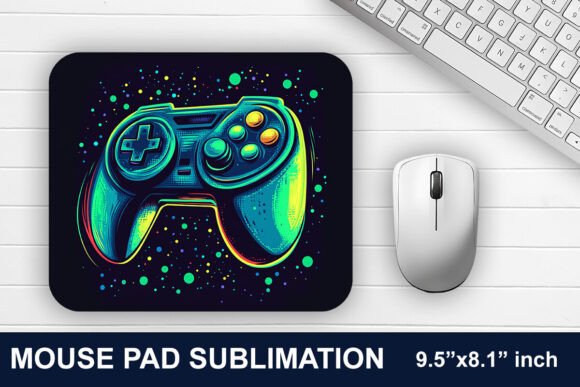
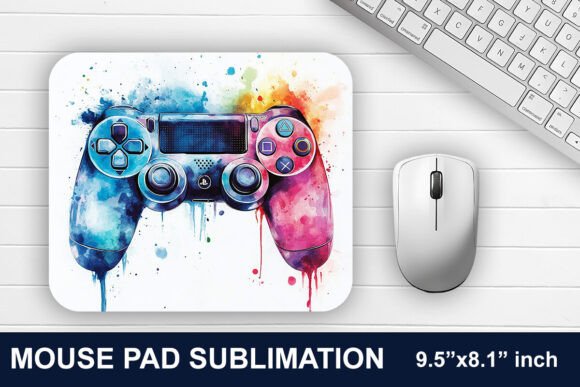
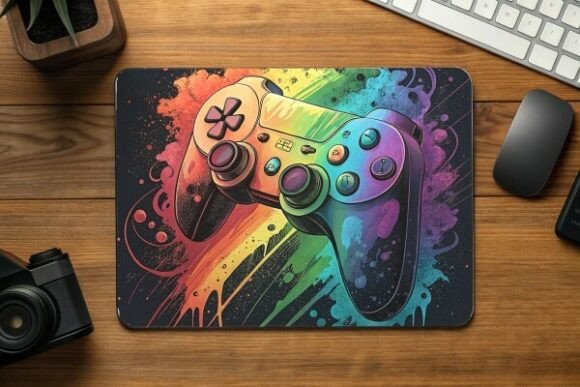
At its simplest, this is a high-resolution PNG file designed specifically for sublimation printing onto mouse pads. The design features a video game controller motif, making it instantly recognizable to anyone in the gaming or streaming community. But the real value lies in the details.
The file comes with a transparent background, which means you can overlay it onto different mouse pad blanks or even use it in other digital projects. The dimensions are set at 9.5 x 8.1 inches, a common standard size for mouse pads that fits comfortably on most desks without taking over. At 300 DPI, the resolution is print-ready, so you don’t have to worry about pixelation or blurry edges when you transfer it onto a physical product.
Because it’s a digital download, you get instant access. No waiting for shipping, no inventory to store. You download the file, and it’s yours to use as many times as you like, within the terms of the license. That flexibility alone makes it a practical choice for anyone producing custom merchandise or gifts.
Key Characteristics and Strengths
Let’s break down what this design actually delivers in terms of quality and usability.
- Transparent PNG format: This allows for easy integration into various backgrounds or mouse pad blanks. You’re not locked into a specific color scheme—you can place the controller design onto a black, white, or colored mouse pad without awkward borders.
- Print-ready resolution (300 DPI): High DPI ensures the final printed product looks sharp and professional. Details in the controller design remain crisp, which matters when you’re selling or gifting items that represent your brand or personal style.
- Standard mouse pad size (9.5 x 8.1 inches): This size is versatile. It’s large enough to give your mouse room to move, but compact enough to fit alongside a keyboard and other desk essentials. It also aligns with many sublimation blanks on the market, so you won’t struggle to find a compatible mouse pad to print on.
- Vibrant colors and clean lines: The design is created to pop after sublimation. Colors stay bright, and the edges remain clean, which is crucial for a polished final product.
Practical Applications Across Different Environments
This design isn’t just for one type of user. It adapts to several contexts, each with its own needs.
For Gamers and Streamers
If you stream on Twitch, YouTube, or Kick, your desk is part of your on-screen presence. A mouse pad featuring a game controller design reinforces your channel’s theme and helps create a cohesive visual setup. Viewers notice these details, and a well-designed mouse pad can make your stream look more intentional and polished. Plus, it’s a conversation starter—people often ask where you got your gear.
You can print multiple mouse pads with this PNG for different purposes: one for your main workstation, another for a secondary streaming desk, or even extras to give away during livestreams as part of a giveaway. Because it’s a digital file, you can scale production up or down without hassle.
For Small Business Owners and Creators
If you sell custom merchandise, this design opens up a product line that’s easy to produce. Sublimated mouse pads are lightweight, easy to ship, and appeal to a broad audience of gamers and esports fans. The transparent PNG format means you can also pair the controller design with other elements—like your logo, a username, or a team name—by overlaying them in design software before printing.
This approach works well for pop-up shops, convention booths, or online stores. You don’t need to pre-order bulk inventory. Instead, you can print on demand or produce small batches as orders come in. This lowers your risk and lets you test different designs without large upfront costs.
For Personal Use and Gift Making
Sometimes the best gifts are the ones you make yourself. If you have a friend or family member who’s into gaming, a custom mouse pad with this controller design can feel thoughtful and personal. You can customize the colors or add a name before printing. The result is a unique item that shows you put effort into their interests.
Similarly, you might want to refresh your own workspace. A new mouse pad is an affordable way to change the look of your desk without a full overhaul. The controller design adds a playful touch that can make long work sessions feel less monotonous.
Benefits Related to Usability, Efficiency, and Appearance
Let’s move beyond the obvious and talk about what this design actually does for your daily workflow.
Usability: A mouse pad provides a consistent surface for your mouse, which improves tracking accuracy. Whether you’re editing photos, navigating spreadsheets, or playing fast-paced shooters, the right surface reduces friction and helps your mouse perform as intended. The 9.5 x 8.1 inch size gives you ample space for sweeping movements without running off the pad.
Efficiency: When your desk is organized and your tools feel comfortable, you waste less time adjusting and more time working. A mouse pad that stays in place and offers a smooth glide can subtly speed up your daily tasks. It’s not a dramatic change, but over hours of use, small improvements add up.
Appearance: A desk that looks intentional and clean can improve your mood and even your confidence, especially if your workspace is visible during video calls or streams. The gaming controller design is modern and recognizable, giving your setup a contemporary feel. It’s a small detail that contributes to an overall aesthetic.
Branding and communication: If you use your desk for client meetings, webinars, or content creation, the items on display communicate something about you. A well-chosen mouse pad can subtly reinforce your personal brand or the vibe of your business. For gaming-related brands, this design aligns perfectly with the audience.
Realistic Examples and Use Cases
Here are a few scenarios where this design fits naturally.
- A freelance graphic designer who also streams as a hobby uses this mouse pad design to keep her desk feeling cohesive. She prints the PNG on a black mouse pad blank, and it matches her dark-themed setup perfectly. Clients who see her desk during video calls don’t notice anything unprofessional, but gaming friends recognize the controller shape immediately.
- An esports team manager orders a batch of mouse pads with the controller design for team members. He adds the team logo above the controller graphic in Photoshop before sublimating. The result is custom gear that looks unified and strengthens team identity.
- A parent wants a birthday gift for a teenager who loves gaming. She downloads the PNG, prints it onto a white mouse pad, and wraps it with a new mouse. The gift is unexpected, functional, and shows she pays attention to their hobbies.
Practical Considerations When Using This Design
Before you jump in, a few things are worth keeping in mind to get the best results.
Sublimation requires specific equipment and blanks. This file is designed for sublimation printing, which uses heat to transfer dye onto polyester-coated surfaces. You’ll need a sublimation printer, heat press, and mouse pad blanks that are compatible. If you’re new to sublimation, test the design on a small blank first to make sure colors and alignment turn out as expected.
Check your software and color settings. When you open the PNG in design software, ensure your color mode is set to CMYK if you’re printing commercially, or at least confirm that the colors match your expectations. The file is created at 300 DPI, so avoid scaling it up beyond the original dimensions, as this can reduce sharpness.
Think about placement. The controller design is centered by default on a 9.5 x 8.1 inch canvas. If you want to add text, a logo, or other elements, leave enough space around the controller so nothing feels cramped. The transparent background makes this easy—you can layer additional elements without worrying about clipping.
Storage and backup. Since this is a digital file, keep a backup copy in a cloud service or external drive. You don’t want to lose access if your computer crashes. Also, note the license terms: some digital files restrict commercial use or limit the number of products you can sell. Confirm what’s allowed so you stay on the right side of the agreement.
Final Thoughts on the Gaming Controller Mouse Pad PNG
This design hits a sweet spot for anyone who wants to combine desk functionality with a bit of personality. It’s practical, print-ready, and flexible enough to use across personal projects, gifts, or a small merchandise line. The transparent background and high resolution make it easy to work with, even if you’re not a design expert.
Whether you’re setting up a streaming station, refreshing your home office, or looking for a new product to offer your audience, the Video Game Controller Mouse Pad PNG gives you a solid foundation. It’s one of those small tools that, when used well, can improve both how your desk looks and how it works for you day in and day out.